OBDLink MX BlueTooth won't connect to Win7 laptop

Discussion about adapters and connections - usage, problems, solutions
Post Reply
erniescar
Posts: 2
Joined: Thu Sep 22, 2016 4:35 am
Vehicle: 2019 Ford F150 XLT Sport SuperCab 4x4

OBDLink MX BlueTooth won't connect to Win7 laptop

Post by erniescar »

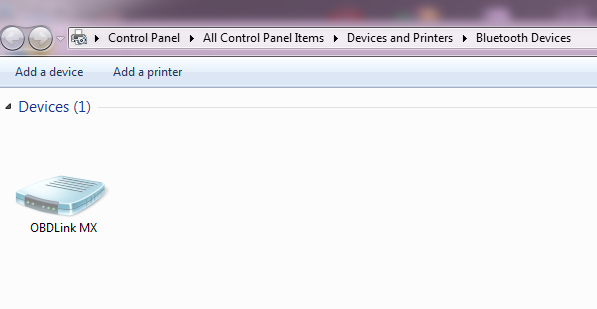
Hello, hopefully someone can help me figure this out. I just purchased the OBDLink MX Bluetooth and cannot get it to connect to Forscan on my laptop, I get the "No ELM found, check connection and try again" message. I have the MX paired to the pc and it is listed in Devices and Printers. I have tried changing the connection type to Auto, Com and Bluetooth, nothing seems to work. The MX is plugged into a 2005 Ford Escape that is having the random security alarm issue so I'm trying to figure out which door is causing the random alarms. I have had the MX paired with my android phone so I know the MX is working. Any ideas? TIA
1.png
1.png (37.87 KiB) Viewed 5302 times

Windows 7 laptop, OBDLink MX Bluetooth, Forscan 2.3.3
erniescar
Posts: 2
Joined: Thu Sep 22, 2016 4:35 am
Vehicle: 2019 Ford F150 XLT Sport SuperCab 4x4

Re: OBDLink MX BlueTooth won't connect to Win7 laptop

Post by erniescar »

2.png
2.png (130.96 KiB) Viewed 5298 times
3.png
3.png (23.99 KiB) Viewed 5298 times
4.png
4.png (25.96 KiB) Viewed 5298 times
5.png
5.png (21.46 KiB) Viewed 5298 times
ClockWorK
Posts: 139
Joined: Sat Mar 05, 2016 11:29 pm
Vehicle: 2015 Taurus SHO pp
Location: Detroit Area
Contact:

Re: OBDLink MX BlueTooth won't connect to Win7 laptop

Post by ClockWorK »

There are no COM ports listed?

Make sure you can connect to the OBD Link MX BT comm port outside of FORScan. You may need to add an outgoing serial port to establish the connection.

Are there any services listed in the Services tab?
2015 Taurus SHO (pp), AWD Gauge Enabled, Engine Hours Enabled, DRLs Enabled, Sync2-to-Sync3.
AsBuilt Compare Tool: http://www.compulsivecode.com/Project_A ... mpare.aspx
Post Reply